The Cost-Saving Benefits of a Warehouse Management System

A warehouse management system (WMS) is a software solution that helps businesses manage their warehouse operations and supply chain processes. This type of system can save companies money in a number of ways, including: 

1. Improved inventory accuracy

With a WMS, businesses can accurately track their inventory levels in real-time, which can help prevent overstocking and reduce the risk of stock-outs. This can save money by reducing the need for safety stock and ensuring that the right products are available to meet customer demand. 

2. Increased efficiency

A WMS can help streamline warehouse operations and improve process efficiency, which can save time and reduce labor costs. For example, a WMS can automate tasks such as picking and packing, and provide real-time visibility into the status of orders and shipments. 

3. Enhanced customer satisfaction

Your businesses will improve the accuracy and speed of order fulfillment, which can lead to higher levels of customer satisfaction. This can save money by reducing the need for costly returns and refunds, and by increasing customer loyalty and repeat business. 

4. Improved supply chain visibility

A WMS can provide real-time visibility into the status of orders and shipments, which can help businesses identify potential bottlenecks and delays in the supply chain. This can save money by enabling businesses to proactively address any issues and prevent costly disruptions. 

In addition to the ways mentioned in the previous answer, a warehouse management system (WMS) can save businesses money in the following ways: 

5. Reduced shrinkage

A WMS can help businesses prevent losses due to shrinkages, such as theft, damage, or incorrect inventory counts. By providing accurate tracking and visibility into warehouse operations, a WMS can help businesses identify and address potential shrinkage issues, which can save money by reducing losses. 

6. Improved space utilization

You will get detailed insights into the layout and usage of a warehouse, which can help you optimize the use of your available space. This can save money by reducing the need for additional storage space, and by enabling you to more efficiently store and retrieve inventory. 

7. Enhanced compliance

A WMS can help businesses comply with various regulations and standards, such as those related to safety, security, and environmental sustainability. This can save money by reducing the risk of fines and penalties, and by enabling businesses to take advantage of any incentives or benefits that may be available for compliant operations. 

8. Better decision-making

A WMS can provide real-time data and insights that can help businesses make more informed decisions about their warehouse operations. This can save money by enabling businesses to identify and address potential issues before they become costly problems, and by enabling businesses to make more efficient and effective use of their resources. 

Conclusion

Investing in a robust Warehouse Management System (WMS) should not be viewed merely as an operational expense—it’s a strategic enabler that drives real cost savings through improved inventory accuracy, streamlined operations, fewer returns, optimized space usage, and proactive risk management. Organizations that leverage the full potential of a WMS lay the groundwork for scalability and long-term efficiency. If you’re ready to take the next step and explore actionable improvements, contact us—let us show you how S24 WMS can become your partner in optimization.

The Benefits of Renting Zebra Warehouse Hardware: Your Solution for Increased Demand and Inventory Counts

Introduction

As a warehouse manager or supply professional, you know how important it is to have reliable equipment to ensure the efficient flow of goods. But sometimes, your warehouse may experience an increase in demand or a yearly inventory count that requires extra hardware. In such cases, renting Zebra warehouse hardware, such as mobile scanners, industrial and desktop printers, and barcode scanners, is the perfect solution. In this blog post, we will discuss the benefits of renting Zebra warehouse hardware and why it’s a smart investment for any warehouse operation.

1. Flexibility in hardware choice

Great advantage of renting Zebra warehouse hardware is the flexibility in hardware choice. Depending on your warehouse’s specific needs, you can choose from a wide range of mobile scanners, both Android and Windows mobile, industrial and desktop printers, and barcode scanners. You don’t have to worry about investing in expensive hardware, which may become outdated quickly. Renting allows you to choose the latest hardware without spending a fortune.

2. Cost-effective solution

Renting Zebra warehouse hardware is a cost-effective solution, especially if you only need it for a limited time. Instead of investing money in purchasing equipment that may not always be necessary, you can rent it on an as-needed basis. Additionally, rental agreements usually come with flexible payment options, allowing you to choose payment schedules that work for your budget.

3. Increase efficiency in operations

Having reliable and up-to-date equipment can increase efficiency in your warehouse operations. For example, mobile scanners can increase productivity by providing real-time data on inventory levels and locations. Industrial printers can handle high-volume printing tasks, while desktop printers ensure more precise labeling. Overall, the use of Zebra warehouse hardware can streamline operations and help your warehouse process orders more quickly and accurately.

5. Scalability

Finally, renting Zebra warehouse hardware allows your warehouse to scale up or down quickly. Whether you need to increase the number of scanners during the holiday season or reduce printer usage during a slow period, renting provides flexibility in hardware needs. This scalability ensures that your warehouse can adapt to changing demands without making unnecessary investments in permanent hardware.

Conclusion

Renting Zebra warehouse hardware is a smart investment for any warehouse operation. As we’ve discussed, it provides hassle-free maintenance and upgrading of equipment, hardware flexibility, cost-effective solutions, increased efficiency, and scalability. By renting, you can avoid making costly investments in hardware that may become outdated quickly and instead choose the right equipment for your specific needs. So, if you’re experiencing an increase in demand or need temporary equipment for inventory counts, renting Zebra warehouse hardware may be your best solution.

Contact us and we will send you a personalized quote for renting Zebra hardware. Just mention to us which devices you need and for how long, and we’ll do the rest!

How Warehouse Management Software Can Help You Prepare for the Holiday Rush?

As the holiday season approaches, many businesses are gearing up for an influx of orders and increased demand for their products. If you own a warehouse, it’s important to make sure it’s prepared to handle this additional workload. Here are five key steps you can take to optimize your warehouse for the holiday rush and improve your warehouse’s performance during the holiday season: 

1. Review your inventory levels

The first step to preparing your warehouse for the increased demand of the holiday season is to review your current inventory levels. This will help you identify any potential shortages or overages, so you can plan accordingly. Consider conducting a thorough inventory audit to ensure that you have accurate information about the quantity and location of all your products. It is still not too late to stock up on some high-volume items.

2. Maximize storage space

The holiday season can put a lot of strain on your warehouse’s storage capacity. To ensure that you have enough space to accommodate the influx of orders, take a look at your current storage setup and identify any areas where you can maximize space. This might involve implementing new shelving or storage systems, or rearranging your existing layout to make better use of the space you have. 

3. Train your staff

Your warehouse staff will be working hard to keep up with the increased demand during the holiday season. To ensure that they are able to handle the additional workload, provide them with thorough training on your warehouse’s systems and processes. This will help them work more efficiently and effectively, and can help prevent mistakes or delays. 

4. Increase Staffing

As we already mentioned, the holiday season is one of the busiest times of the year for warehouses and distribution centers. To ensure that orders are fulfilled quickly and efficiently, it’s important to have enough staff on hand to handle the increased demand. If training and streamlining of existing staff is not enough, consider increasing staffing levels during the holidays to make sure that everything runs smoothly. Try hiring students or contractors to help you in this busy period.

5. Plan for contingencies

Despite your best efforts, it’s always possible that something could go wrong during the holiday season. To prepare for this possibility, it’s important to have a plan in place for dealing with unexpected issues. This might involve having extra staff on hand to handle any sudden spikes in demand, or implementing backup systems to ensure that your warehouse can continue operating smoothly even if something goes wrong.


In addition to the steps outlined above, implementing a warehouse management software system can also be a valuable tool for preparing your warehouse for the increased demand of the holiday season.

A good warehouse management system can help you improve efficiency, streamline your fulfillment process, and keep track of your inventory levels in real-time.

Some key benefits of using warehouse management software include: 

  • Automated inventory management: A warehouse management system can help you automate your inventory management process, making it easier to track the quantity and location of your products. This can help prevent shortages or overages, and can also save you time and effort by eliminating the need for manual inventory tracking. 
  • Improved fulfillment speed: With a warehouse management system, you can automate many of the tasks involved in the fulfillment process, such as picking, packing, and shipping orders. This can help speed up your fulfillment process and reduce the amount of time it takes to get orders out the door. 
  • Real-time visibility: A good warehouse management system will provide you with real-time visibility into your warehouse operations. This can help you stay on top of any potential issues or delays, and can also provide valuable insights into areas where you can improve efficiency. 

Overall, implementing a warehouse management system can be a valuable tool for preparing your warehouse for the increased demand of the holiday season. By automating key tasks and providing real-time visibility into your operations, a warehouse management system can help you improve efficiency and keep your warehouse running smoothly during the holiday rush. 

Your New WMS Should Have Exactly These Features

In today’s competitive business environment, having a comprehensive warehouse management system (WMS) is essential for staying ahead of the competition. A WMS is a computer software system that helps manage warehouse operations and optimize the storage and movement of goods within a warehouse. It enables organizations to monitor inventory levels, track shipments, and optimize productivity.

When selecting a WMS, there are certain features that are essential for ensuring the most efficient and effective operation of your warehouse:

1. Automated Inventory Management

A WMS should be able to handle all aspects of inventory management, including tracking inventory levels, ordering new stock, and generating reports. Automated inventory management makes it easier to keep track of stock levels and reduce the risk of stock-outs. 

2. Real-time Visibility

A WMS should provide real-time visibility into inventory and operations. This includes tracking orders, shipments, and returns in real-time, as well as providing accurate information about stock levels and product availability. Real-time visibility helps ensure that the warehouse is running efficiently and that orders are fulfilled quickly.

3. Automated Order Fulfillment

A WMS should be able to automate order fulfillment processes, including picking, packing, and shipping. Automating these processes can help reduce costs and improve efficiency.

4. Advanced Analytics

A WMS should provide advanced analytics to help warehouse managers identify trends and areas of improvement. This includes analyzing inventory levels, sales trends, and customer data. Advanced analytics can help warehouse managers make better decisions and optimize their operations.

5. Scalability

A WMS should be scalable so it can grow with the business. As warehouses become more complex and demand increases, a WMS should be able to accommodate the additional workload.

Conclusion

With the right WMS, warehouses can increase efficiency, reduce costs, and improve their bottom line. By implementing a system with these features, warehouses can ensure that their operations run smoothly and efficiently. 

If you need help or having second thoughts about implementing WMS, reach out to us and we’ll show you how WMS can benefit your business.

Our WMS solution just got validated by Zebra Global Enablement Center!

**Click here for the Croatian version**

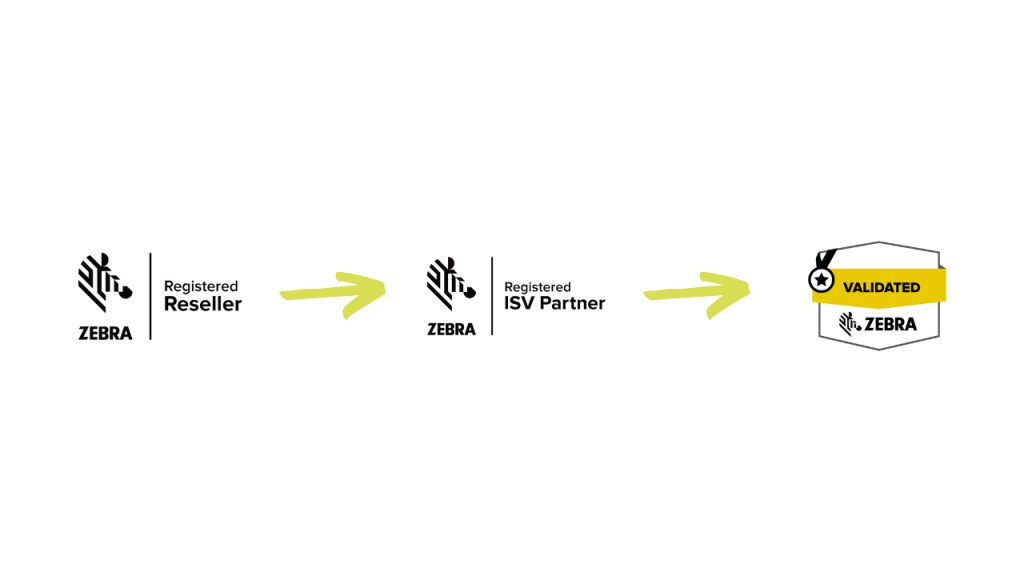
After getting our initial Registered reseller status which gave us the possibility to act as an official distributor of Zebra devices in the EMEA region, we went further and applied to become Zebra’s ISV, i.e. Independent software vendor.

ISV status confirms that your software solutions are compatible with Zebra hardware, but it does not yet qualify you for a certified validation badge or other forms of acknowledgment from Zebra. You must apply to the Zebra Enterprise Testing Program, which is managed by Zebra’s Global Enablement Center in Brno, Czech Republic, in order to get validated.

We can now reveal that our solution has just been officially validated, confirming that our apps have been created for enterprise-grade solutions after comprehensive testing by Zebra’s engineering team.

Aktiva info Zebra Badges
Our path from registered reseller status to Zebra Validated independent software vendor

After successful completion of the testing and interoperability procedure, Zebra validated our software for the following Zebra devices: TC21, TC26, TC26x, TC52, TC52x, MC22, MC27, MC33, and MC93.

Our current and potential business partners in the field of logistics can be confident that our application can meet their needs while also lowering the risk and length of time needed for implementation thanks to the thorough testing process that our application underwent and the successful validation that followed.

This affirmation from Zebra gives us more momentum and demonstrates that our application is designed for businesses who value the efficiency of processes and data quality.

Nenad Prazic, Executive Director
EVM_Validated_Service24_WMS

Please get in touch with us if you would like more details about our application and how WMS (Warehouse management system) might benefit your company.

We are now the official partner of Zebra technologies inc.!

To all our existing and future partners we are proudly announcing that we became an official partner of Zebra technologies inc! Zebra is the world leader in innovative hardware solutions which are helping thousands of businesses worldwide to achieve lower operational costs and improved operational processes. If you were ever in touch with logistics or distribution, Zebra is a brand you probably heard about, especially when we are talking about mobile terminals, barcode scanners, industrial printers, and accessories for these devices.

Zebra devices are industry leaders and pioneers, which are powered by today’s modern technologies (4G, 5G, WiFi 6…), and one of the main features is the fact that they are rugged and built for special purposes which make the durability of the device extremely powerful.

From now on, if you are in need of any Zebra device, feel free to contact us, and we’ll get the offer directly from Zebra distributors and offer you a great price.

Also, we can help you choose the best device for your use case, based on what you’re going to use this device for, and also, for your available budget.

If interested, feel free to contact us through our contact form or directly at contact@aktiva-info.hr, and if you want to know more, check the MC 9300 product brochure below, a brochure of a device that is a leader in warehouse management, used by over 3 million warehouse workers in the world, and which was used by us while developing our own Servis24 Android application.

228823

Infographic – Top 5 WMS benefits explained

Check out our newest infographic which shows you the most important benefits you get after WMS implementation!

Top-5-WMS-benefits-explained

In case you have any other questions or would like to find out how Servis24 WMS can help you, feel free to get in touch with us.

Practical tips on WMS implementation – whom, what, and how?

Companies that decide to modernize and improve their operational processes in the warehouse, through the implementation of the WMS system, often encounter a multitude of questions and unknowns when it comes to the implementation of the system itself.

The benefits or main features of WMS are generally known even before contacting the WMS software provider. However, the detailed process and duration of implementation, how to start, who are the people responsible for, and useful and practical tips for better preparation are often unknown.

To help you with this, we will try to answer all the questions related to the implementation of WMS, based on our many years of experience and numerous successful implementations.

To begin with, it is important to be aware that the WMS implementation is specific and has its own peculiarities.

Specifics of WMS system implementation

1. WMS software must successfully reconcile the physical, actual condition of warehouse buildings, inventory, items and workers with the logical operations of the software itself. If this part is not done properly, there may be difficulties in the work even after the implementation.

2. In many distribution centers, complex processes and operations have been established, with a large number of items circulating inside the warehouse but also entering and leaving the warehouse. All this needs to be harmonized via a single system.

3. There are often dependencies of one part of the system with another. For example, a slowdown in the picking process will cause a situation where the people packing the goods do not have enough work at that time, which causes unnecessary costs.

4. Human resistance to modernization frequently occurs. Until now, workers have worked by their “rules”, and any new change is undesirable. WMS introduces more or less strict rules and order, and workers realize this, but only after a certain amount of time. One should be ready to educate the workers.

Who is in charge of implementation?

In order to make the implementation as simple and fast as possible, it is important that the roles are defined in advance, both on the side of the WMS provider and on the client-side.

For providers, key roles are often the following:

–          Project Implementation Manager – the person in charge of the main contact by the WMS provider. He/she must be involved from the initial meetings when arranging the implementation, throughout the entire technical process of implementation, and be ready for support after a successful implementation. This has to be a person who has experience in at least a dozen successful implementations. This person answers all the client’s questions and comes to the client’s warehouse to give advice and answer specific questions. He or she often also performs initial education and training of warehouse managers and other warehouse workers on the use of the new application. Making sure that the project is managed according to the Project Task List and that each party performs its tasks is also another responsibility of the Project Implementation Manager.

–          Implementation Specialist – The person in charge of technical details about the implementation, who works on the harmonization and integration of the existing ERP solution, with the new WMS system, and conducts initial testing and validation of the program. It also provides support to the client and customer support within the warehouse. He or she is in charge of helping with the technical side of the implementation.

On the client-side, the most important person for a successful implementation is the warehouse manager. This person is the main point of contact between the WMS provider and all other internal participants. This is the person who is responsible for performing all tasks on the client-side and is in charge of communicating with the WMS service provider. Given the best knowledge of current processes in the warehouse, this person can ask the best questions and is committed to successful implementation and solutions that will be made just for the client. People from the sales and/or procurement department often appear on the client’s side, since they use an ERP solution on a daily basis.

Last, but not least, it’s very important that there is a common company wide agreement on implementing WMS, with strong support of C-level or directors. This is their main role – to promote implementation and to push when necessary.

How long does implementation on average take?

It is not easy to give an unambiguous answer to this question, given that the implementation depends on a number of factors, such as project complexity, the complexity of the warehouse processes and methods of required automation, and most importantly, the amount of resources that the client can allocate to the implementation project. The faster the service provider can get the information he needs, the faster individual problems are solved and the faster the process progresses.

According to our experiences so far, successful implementation takes 3 to 6 months. Of course, some of our existing clients have successfully completed the implementation of WMS in a shorter period of 3 months, but given the complexity of the project, this usually happens rarely.

Often on the client side there is a situation that the person in charge of leading the implementation does not have enough free time to fully deal with the implementation. This can result in breaking the originally agreed deadlines, or, worse, forcing implementation within the deadline but with insufficient preparation and training.

Precisely because of this, it is necessary to be aware of the complexity and honestly set deadlines, without unnecessarily rushing the project.

Useful tips for successful implementation: Tips and Tricks

–          During implementation, it is useful to keep a detailed list and status of the tasks for which both parties are in charge so that we can better monitor progress. Also, a detailed list of open questions is always welcome, so that everything can be cleared up before the go-live day.

–          It is always important to define one person on the client side who has the authority to make a decision and answer a question during testing.

–          We suggest that all types of documents that normally circulate within the ERP system and that handle goods be defined in advance so that the WMS can be set up as well as possible.

–          Before starting, it is useful to consult with the WMS provider about the layout of the warehouse and the position of the racks, and the marking of locations within the racks. This way, the WMS service provider can give useful advice before the warehouse is physically arranged.

–          It is often said that most problems after implementation come due to insufficient testing and employee education. Both sides in the process need to make an extra effort to get both done well.

We hope that with this we have answered many questions regarding the implementation and that things are much clearer now.

Aktiva Info has extensive experience in implementations in the region and is ready to answer all individual questions and give useful and concrete advice, from the initial meeting to efficient and fast customer support after a successful implementation. 

In case you’d like to find out more, contact us and we’ll provide you with our consultancy.

6 questions you need to ask yourself when choosing a WMS provider

If you are actively looking for an experienced WMS provider, or are informed about the potential implementation of a WMS system in your warehouse, we have some useful information for you that is very good to know before making a decision. Namely, today it is often not enough to just buy the most expensive software and expect it to solve all the problems you encounter. Choosing the wrong software, or worse, poor implementation or inadequate customer support often lead to dissatisfaction and inability to improve business processes.

To make your decision-making process easier, in this blog we bring you 6 questions to ask yourself when choosing a WMS system.

1. Are you familiar with all the business processes and specifics of your warehouse?

Before you even start looking for a WMS provider, it is important to make a detailed analysis of your warehousing business and all the processes that take place within the warehouse. The most important thing is to pay special attention to all the specifics of your warehouse since such specific processes are what can distinguish one provider from another. Namely, not all WMS systems are equally adaptable, so not all systems can be fully adapted to your processes.

2. Does the WMS provider have operational experience in implementations?

Try to find a WMS provider that has operational experience in warehousing processes. Software developers often cannot fully understand all the processes that take place in a  “live” warehouse, since they never encountered those, and your provider also needs to have people with operational knowledge of storage processes. This way, in a winning combination of software engineers and people with experience in warehousing processes, a system is created that practically solves all your problems and facilitates the work of your employees in the warehouse.

3. Can the WMS system be customized?

As mentioned earlier, the WMS system must be customizable, to fully capture all the specifics of your storage processes. We advise you to choose a provider who will be able to customize or upgrade your system to fully adapt to your processes.

Tip: Choose a provider that has customers in the 3PL area (Third Party Logistics), as such companies have a very wide range of options in the system as they do not know what requirements the next customer will have for storing the goods.

4. How easy can WMS integrate with your existing systems?

This question is very important for interaction with your existing ERP system. Quality WMS providers already have pre-designed connectors for the most well-known ERP systems on the market (e.g. SAP, 4D Wand, Pantheon, etc.), and they don’t need a lot of time to connect to your ERP. Also, if a potential provider is already connected to one of the larger ERP providers, it proves that it has already successfully done the integration with other large clients.

Note: some ERP solutions also have a storage module within their solution, however, it is important to mention that such a solution does not have nearly the functionality of a standalone WMS system. We recommend that you look for a WMS provider that specializes in WMS, and an ERP provider that specializes in resource planning.

5. How does the WMS provider provide post-implementation support?

WMS support is not only crucial during the implementation. Once WMS is implemented, the warehouse as such becomes “alive”, and all potential problems should be resolved as soon as possible. Precisely because of this, customer support must be prompt and accurate and the problem eliminated with as little waiting as possible. When choosing, openly ask your provider about customer support.

6. Is the WMS provider only a service provider or also a partner?  

This question is self-evident because of course, you don’t want someone who will just sell you the software. It is important to find a partner whose ultimate goal is to improve your internal processes and your business, and who will be available to you for any problems or potential system upgrades.

We hope that through these questions we have helped you make a decision on choosing a WMS system provider.

For more information about Aktiva Info, see the About us page, and for more information about our WMS, see the Servis24 WMS page.

In case you’d like to find out more, contact us and we’ll provide you with our consultancy.

The main features every quality WMS should have

Warehouse Management System as a software solution that optimizes storage processes is offered by a large number of companies on the market today. To make the process of choosing a quality WMS easier for you, we have listed the main features that a quality WMS solution should have.

Of course, the quality of the solution and the number of features are not the only important thing when implementing such a solution, but they are definitely a prerequisite for successful operation. The basis of the list of these features is our many years of experience working with a large number of clients from different industries in the region, through which we know what each industry needs to improve its warehousing operations.

To begin with, the necessary features that every WMS must have relate to the basic operations of handling goods, from receiving and entering the goods, transferring the goods, to commissioning, packing and the goods themselves exiting the warehouse. In the following blog, we will explain in detail each of the listed features.

Receiving and entering of goods

Proper entry of goods into the warehouse and their placement in a specific location are the first steps in optimizing storage space. Namely, after certain goods are unloaded from the truck and placed in the entrance area of the warehouse, it is necessary to store them in the “smartest” way possible. The mere receiving of goods in the warehouse is done through manual barcode terminals, together with checking the correctness of incoming documents, in order to completely eliminate errors. In a situation when the goods entering the warehouse do not have a barcode, it must be possible to create them from the WMS system and label them correctly. The goods thus received are placed in a precisely predefined location in the warehouse, automated by the system or defined by the user, depending on the specificity of the process.

Once the items are placed at their locations, the next type of manipulating them is transferring them or picking the goods and preparing them for delivery.

Transferring goods

Often a particular type of goods has to be transferred from one location to another within the same warehouse, or from one warehouse to another. The reasons are various, and this is mainly done due to additional optimization of storage space. In order for these goods not to be “lost”, they need to be transferred property, and any quality WMS should support this possibility.

By scanning the item, transport unit and starting and destination location, and the mere transfer of goods, you always know where the goods are, and in what location they were before transferring. Additional scanning of the destination location guarantees even greater accuracy. This reduces the time required to search for goods in the warehouse, leaving the warehouse worker more time for other tasks. No more lost items or wasted time searching for goods in the warehouse.

Picking of goods

In order for a particular item to be prepared for shipment to the end-user, the warehouse worker must collect it and prepare it for shipment. Quality WMS offers automatic creation of work orders on a daily basis by the system, and assignment to warehouse workers depending on the condition of certain goods and warehouse settings. The logic of collecting goods for delivery, i.e. picking, is set depending on the special requirements and specifics of the warehouse, and the system via manual terminals allows warehouse workers to be guided from the first location where the goods are located, all the way to the last, all with time optimization. From single picking, i.e. commissioning item by item, to collective, i.e. batch picking, we can significantly affect the time a warehouse worker spends collecting goods within the warehouse (approximately 60% of productive hours).

Shipping of goods

The last step before the goods leave the warehouse involves sending the goods to the exit zone, packing, and preparing for shipment. Quality WMS automatically creates all the necessary documents for shipment, and in the case of integration with TMS (Transport Management Sustavom) allows tracking of goods after they leave the warehouse to the end-user. The goal of WMS is to automate processes as much as possible and reduce paperwork to the lowest possible level, so that warehousing is ultimately accelerated.

The above features of WMS refer to the basic processes of handling goods within the warehouse. Of course, these features alone are not enough for a quality WMS. Below, we are presenting features that greatly facilitate the work in the warehouse and the productivity of the warehouse, but also bring companies to a higher level, and we believe that every quality WMS should support them.

Analytics and reporting

For any quality business decision making it is necessary to have relevant analytics and reports that form the basis for decision making. Each quality WMS solution will offer you different reports on the core indicators of your business. Some of the significant reports relate to the state of stock, the flow of goods through the warehouse, employee statistics, a list of vacancies and occupied locations, an overview of the movement of items by LOT number, and a traceability overview…

Also, given the diversity of business processes from your WMS provider, you should also be able to run new custom reports, for the specific needs of your business.

Integration with ERP systems

WMS as a software solution is usually a standalone system. To achieve complete, end-to-end business transparency, WMS integrates with the existing ERP solution that is used. Two-way communication between ERP and WMS allows the order for stacking goods after processing in WMS, ERP returns the exact processed quantities in the warehouse, so the end customer gets a document with the goods with the correct quantities. This way, it is known at all times what quantities of certain goods are in stock and whether it is necessary to order new goods in order to avoid an “out-of-stock” situation.

A quality WMS provider will enable integration with all major ERP systems on the market, and also enable custom integration with ERP that you use.

Workforce management

The total labor cost in a warehouse makes a significant expenditure for the operation of each warehouse. In order to optimize such costs, it is necessary to manage staff well with WMS: from the possibility of automatic or manual assignment of work orders to employees to detailed analytics of the work of each employee. Using “productivity scoreboard”, it is possible to easily show the productivity of each individual worker in the warehouse with the aim of mutual motivation. For each employee, the number of work orders, picked items, and the average picking time can be displayed, sorted from the most to least productive, thus better monitoring productivity.

Serialization and traceability

Traceability as a legal obligation refers to the labeling of a product by batch or LOT item number, in order to be able to monitor the quality of the same product throughout the supply chain. Within WMS traceability is monitored by tracking an item from consumed raw materials to the finished product and the final customer. Traceability is tracked in the system automatically, based on the batch or LOT number of each item for which traceability is required.

This way, a quality WMS allows you to know for each item from which raw material it is made and when it, for example, expires.

Inventory count

Inventory, as a legally defined process that includes an annual inventory count of assets, liabilities and capital, is usually performed once a year. Quality WMS improves the inventory process, shortens it, and makes it easier for warehouse workers. Inventory using hand-held terminals makes it possible to completely eliminate errors when counting stocks, and reduce the possibility of surpluses and shortages to the lowest possible level. Also, in addition to the annual inventory, WMS should provide a daily inventory by location (i.e. cycle count) in order to check the condition of certain locations and goods in the warehouse.

Conclusion

In addition to the above features, we would also like to mention the fact that a partnership between the service provider and the client is very important for the implementation and maintenance of WMS. It is important that possible problems when using the application are resolved quickly, and that the service provider is flexible enough and ready to adapt its application to the client’s specific processes.

The mere fact of the existence of these features without quality support is not enough for the successful operation of WMS, so we recommend choosing a partner that is flexible enough and fast when collaborating after implementation.  

In case you’d like to find out more, contact us and we’ll provide you with our consultancy.